Architecture Overview
Check-IA follows a standard client-server architecture with asynchronous task processing for AI-intensive operations.
System Diagram
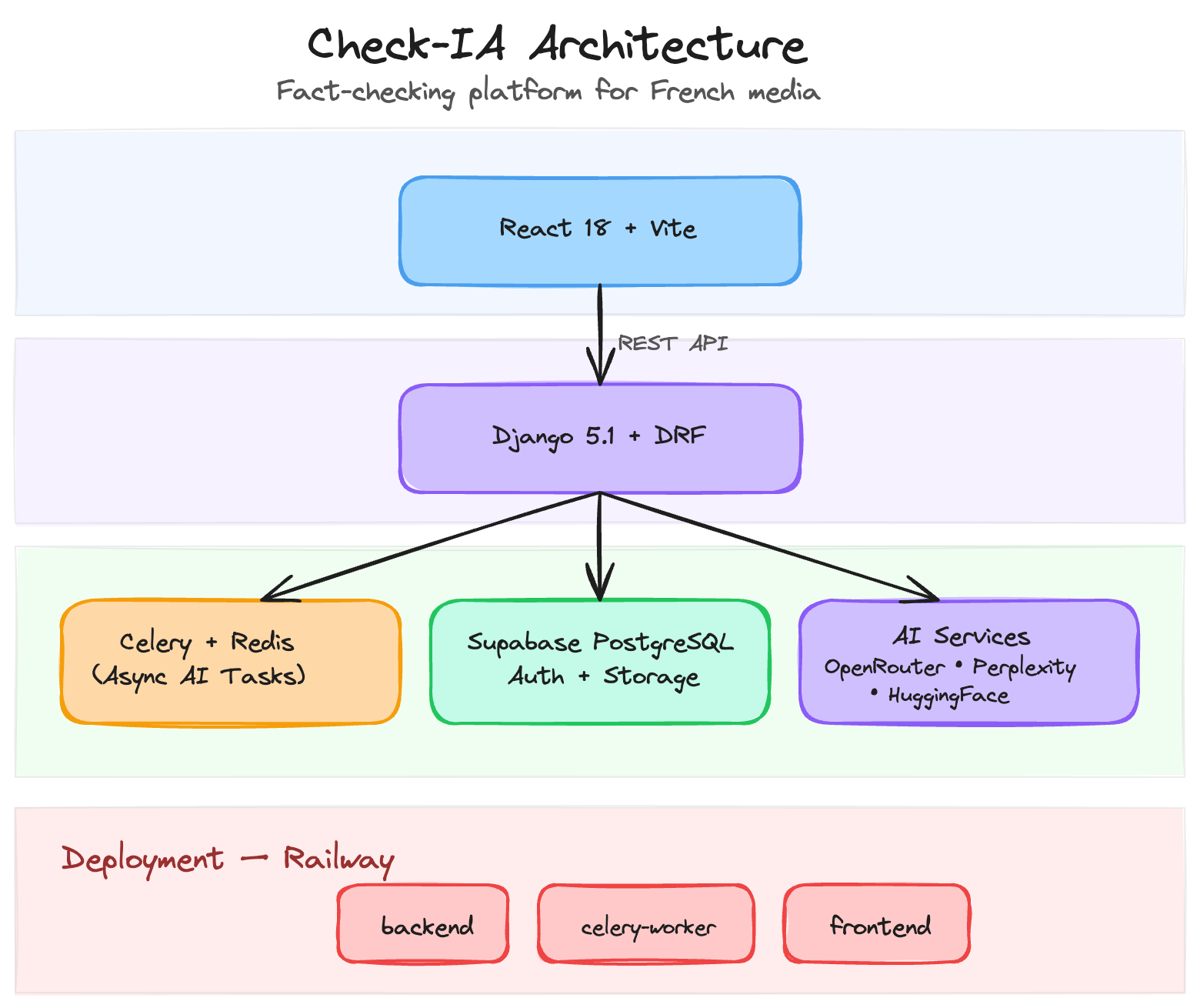
Components
Frontend (React)
The React 18 single-page application handles user interaction, authentication flows, and result display. Key libraries include Material-UI for the component system and Supabase JS for client-side authentication.
Location: client/src/
Backend (Django)
Django 5.1 with Django REST Framework provides the API layer. It handles request validation, authentication verification, database operations, and task dispatching.
Location: config/ (project settings), core/ (application code)
Task Queue (Celery + Redis)
AI analysis operations are long-running (10-30 seconds). Celery processes these asynchronously so the API can return immediately with a task ID. The frontend polls for results using the task status endpoint.
Location: config/celery.py, core/tasks.py
Supabase
Supabase provides three services:
- PostgreSQL Database — Stores facts, submissions, keywords, and verification results
- Authentication — JWT-based auth with email/password. The Django backend validates Supabase JWTs via a custom authentication class (
core/authentication.py) - Storage — Image uploads for verification are stored in Supabase Storage buckets
AI Services
Multiple external AI APIs power the verification pipeline. See AI Pipeline for details.
Deployment
The application runs on Railway as three separate services:
- backend — Django + Gunicorn (serves the REST API)
- celery-worker — Celery worker process (handles async AI tasks)
- frontend — Static React build served by Caddy
Deployments are triggered automatically via GitHub Actions on push to main.